Many services, one app
ChatGPT, Perplexity, Gemini, Claude and OpenRouter. Add as many models as you like, each with its own name, model and key, and drag them into the order you want in the model menu. OpenAI-compatible servers work too.

One chat app for all your AI services.
ChatGPT, Perplexity, Gemini, Claude and OpenRouter in a single native app. Everything runs on your device: there is no jp3 server, no account to make, and your API keys stay with you.
Real screens from the app, in the colour themes Joe Bot offers. The conversations are samples I wrote for these pictures, not live model output, and the icon is a placeholder.
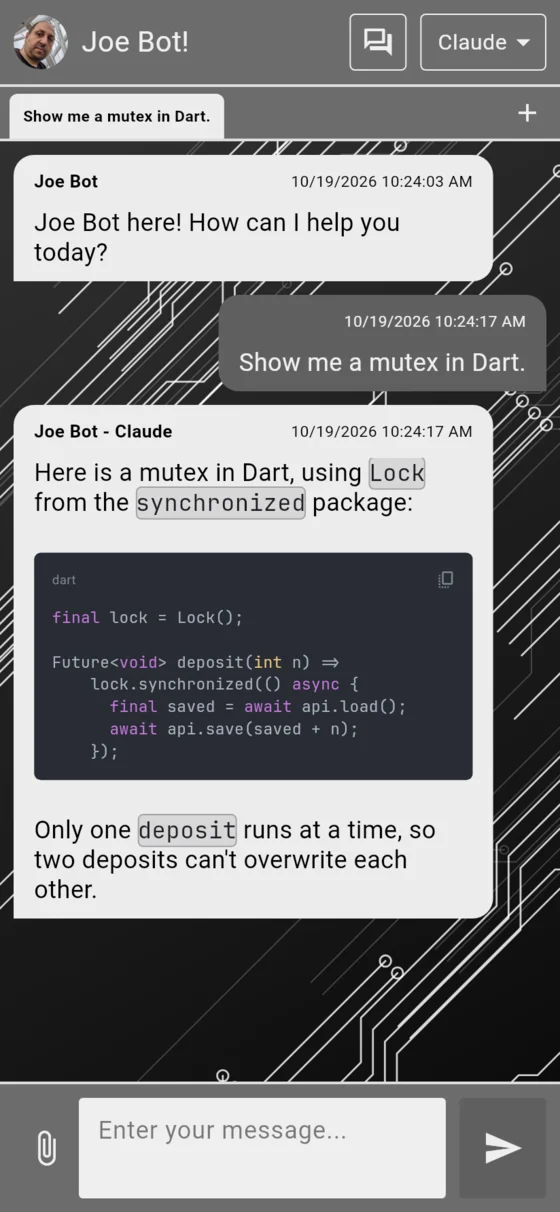
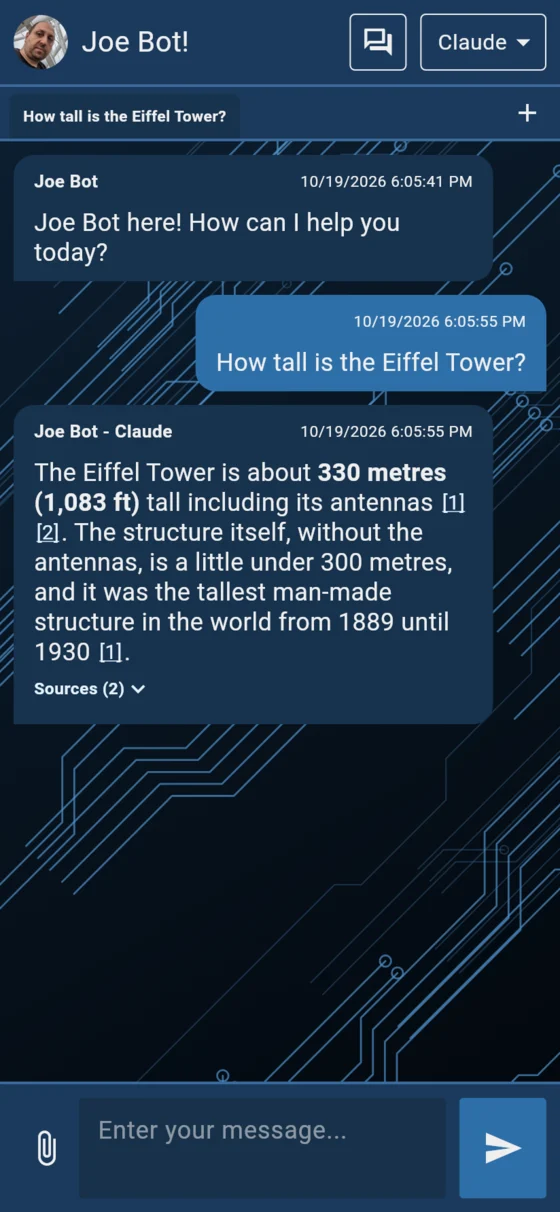
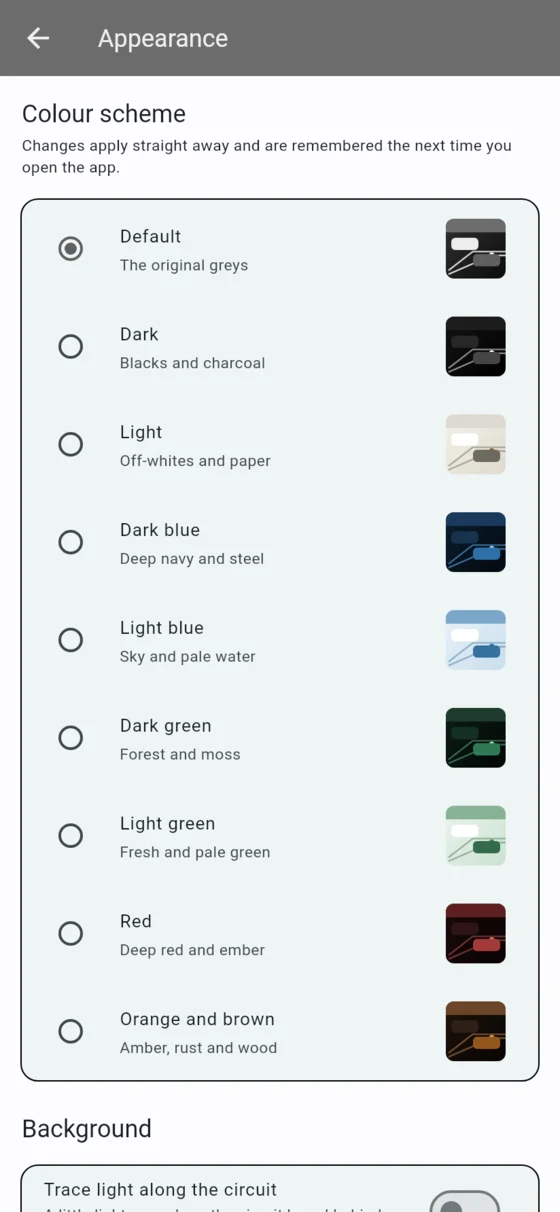
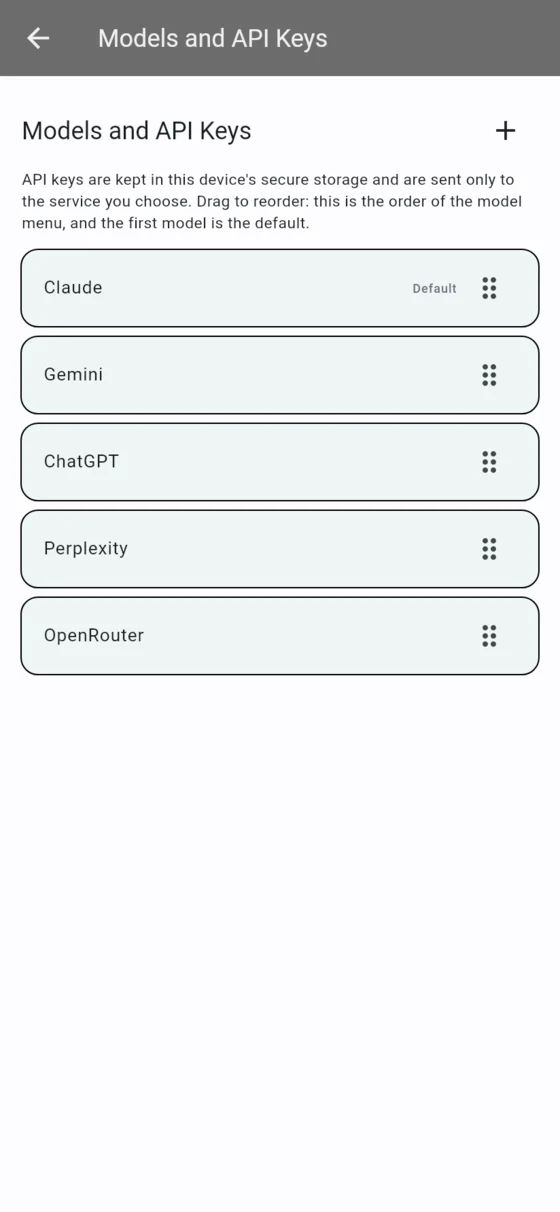
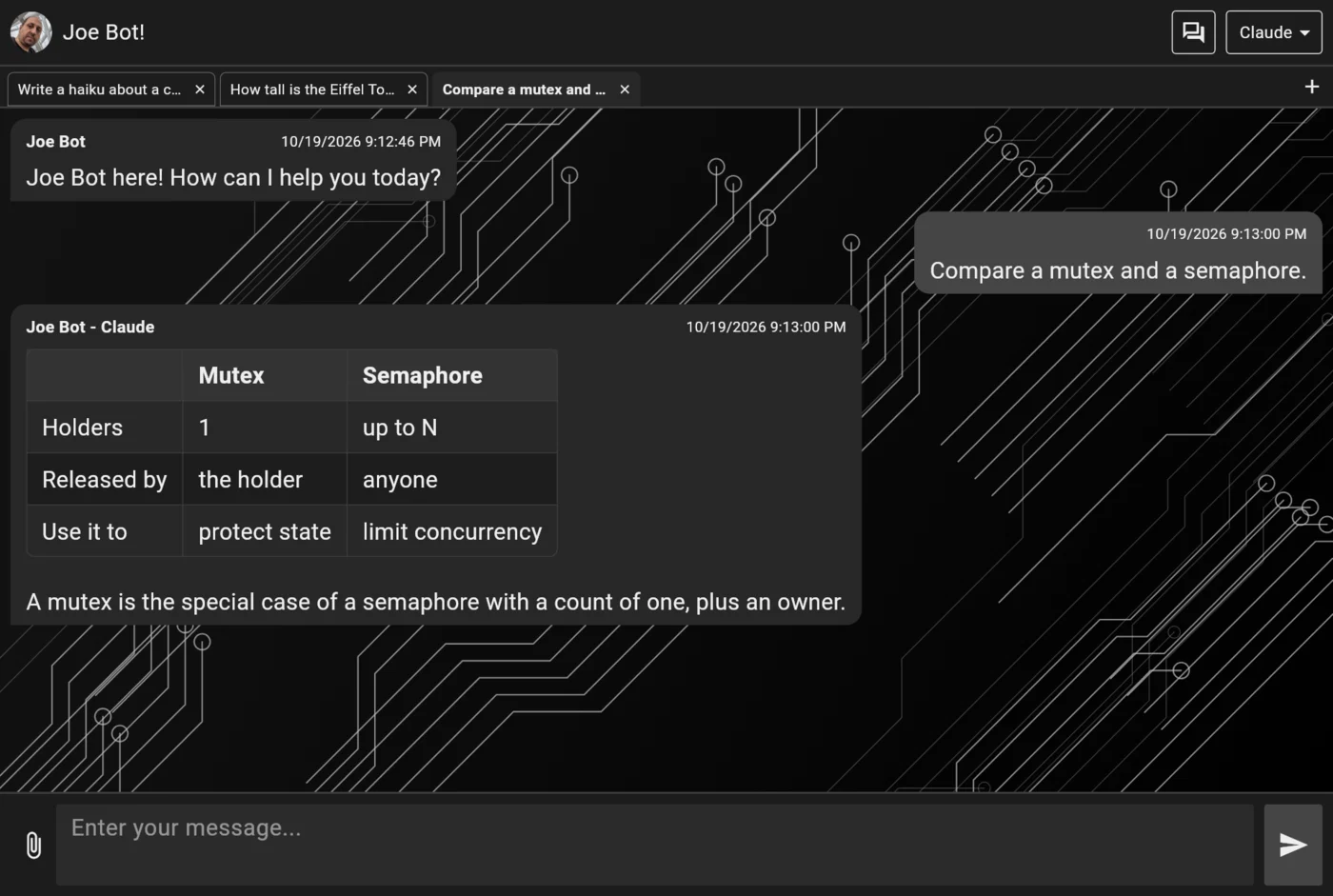
ChatGPT, Perplexity, Gemini, Claude and OpenRouter. Add as many models as you like, each with its own name, model and key, and drag them into the order you want in the model menu. OpenAI-compatible servers work too.
Answers type in as they stream, with a Stop button. Markdown is rendered properly: highlighted code you can copy, tables, links, and pictures in replies.
Perplexity’s numbered source markers are tappable and open the page behind them, so a claim is one tap from its evidence.
Up to 10 conversations at once on a phone and 30 on a computer. Each has its own model, a tab in the background keeps streaming, and they all come back when you reopen the app. Ctrl+T, Ctrl+W and Ctrl+Tab on the desktop.
Pictures, PDFs, audio, video, and any text or code file. The file chooser only offers what the model you picked can actually read, and says so in plain words when something is too big.
Voice mode lets you speak your messages and hear the answers read back, using your device’s own speech services.
Add Blackbird.AI Compass as a “model” to check a claim or a link. It answers with a rating (Safe, Caution or Warning), a summary and its sources. You use your own Compass credentials.
Save a conversation when you want to, as a Markdown file you can open anywhere, share, or bring back later. Phones encrypt them; optionally lock them behind your fingerprint, face or PIN. The conversation in progress survives the app closing.
Keep saved sessions in step across devices through Google Drive, OneDrive, iCloud, a WebDAV server (Nextcloud and others) or SFTP. Off by default, and always encrypted with a passphrase before anything leaves your device.
Nine colour schemes (Default grey, Dark, Light, two blues, two greens, Red, Orange and brown) over an animated circuit-board background that respects your system’s reduce-motion setting. Every scheme is contrast-checked.
Pick who answers — Joe Bot, Adri, Jace or Luc — for every model, and each reply is signed with both, like “Adri – Gemini”. (The personalities are still being written.)
One Flutter codebase for Android, iOS, Windows, macOS and Linux, with the same behaviour everywhere.
A few decisions that shape the whole app.
Joe Bot talks straight to each AI service from your device. There’s no jp3 server in the middle, so there’s nothing of yours for me to store, leak or lose, and no accounts, analytics or tracking. The cost is that you bring your own keys.
An API key is typed in once and kept in your device’s secure storage. It is only ever sent to the service it belongs to, and error messages never contain it.
Nothing is saved unless you choose to. A saved session is one readable Markdown file, not a locked database. Sync, if you turn it on, encrypts each session with a passphrase only you know: the cloud service sees scrambled files without titles. The flip side is honest, too — forget the passphrase and those cloud copies can’t be read, by anyone.
When sync finds a session missing on one side, it copies it back rather than assuming you deleted it; only a deletion you actually made is passed on. If the same session was edited on two devices, the newer edit stays and the other is kept as a “conflict copy” — never silently overwritten.
Switch to another model from the same service and the conversation continues. Switch to a different service and the new model starts with a clean slate (the transcript stays on screen), because each service reads conversations differently and Joe Bot won’t pretend it can pass everything along.
Each model can read different kinds of files, so the attach button offers just those. If you switch to a model that can’t read a staged file, Joe Bot says so and holds the send until you decide, instead of failing after the fact.
The colour schemes are checked for contrast in the app’s own tests, the background animation stops when your system asks for less motion, and the font (Roboto) is bundled so it looks the same on every platform.
Joe Bot works in development builds, but I haven’t released it. The connections to each AI service were written from the providers’ own documentation and tested against stand-in servers; I’m checking them against the real services before release. Sync is built, but so far only WebDAV and SFTP have been checked against real servers — Google Drive, OneDrive and iCloud need app registrations that aren’t set up yet.
When it’s ready, this page will link to wherever you can get it. Until then, it’s the best place to follow along.
Privacy policy · Terms of use · Questions or ideas: code@jp3.dev